LUT & film-look video editor · iPhone

The LUT app for iPhone that exports exactly what you see.

LUTLINE converts Log footage with the camera maker's own conversion LUT, grades it with 188 looks or your own .cube file, and renders the export through the same pipeline as the preview — on your device, with no account and no cloud upload.

  • iOS 18.0 or later · iPhone
  • Free tier · no watermark
  • No ads · no tracking
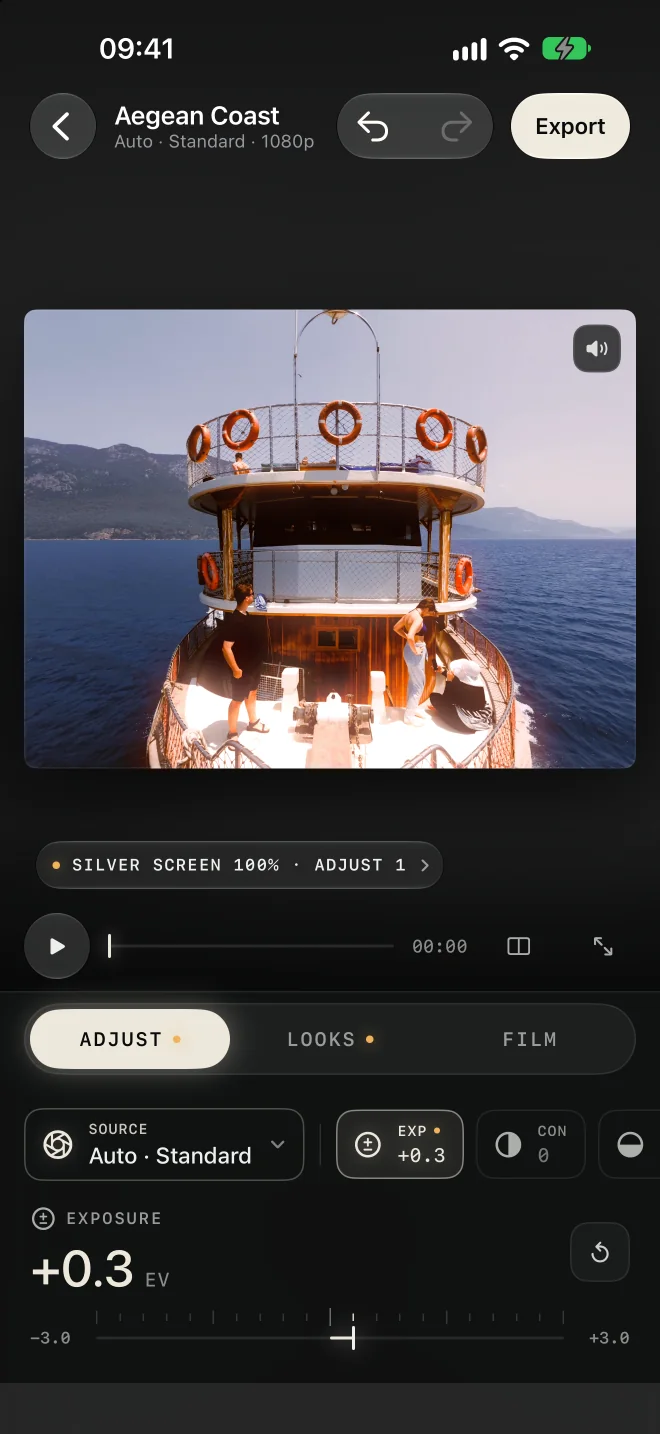
LUTLINE editor on iPhone: a boat on the Aegean Sea graded with the Silver Screen look, the Adjust tab open with exposure at +0.3 EV

One line from the camera to the look

Camera, corrections, look — in the order that makes LUTs behave.

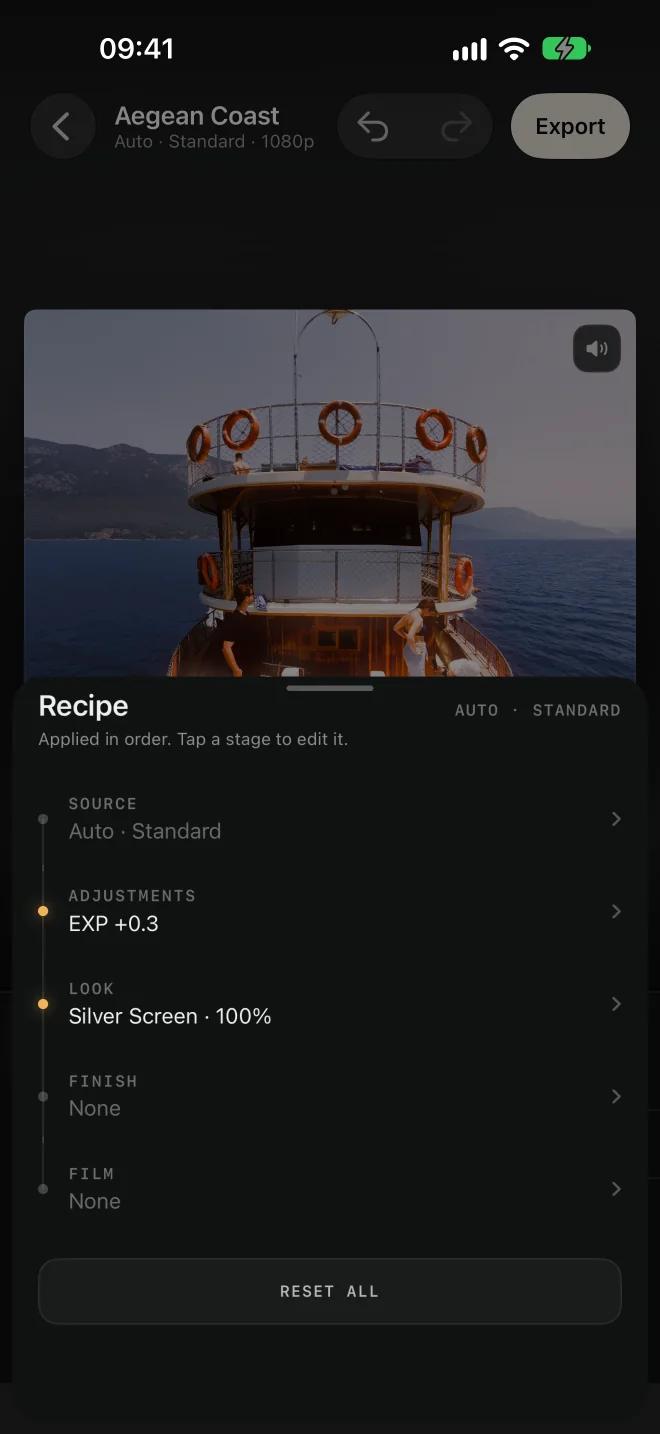
A creative LUT expects normal Rec.709 video. Flat Log footage has to be converted first, and corrections belong between the two. LUTLINE keeps that order fixed and shows it as a recipe you can read.

  1. Source

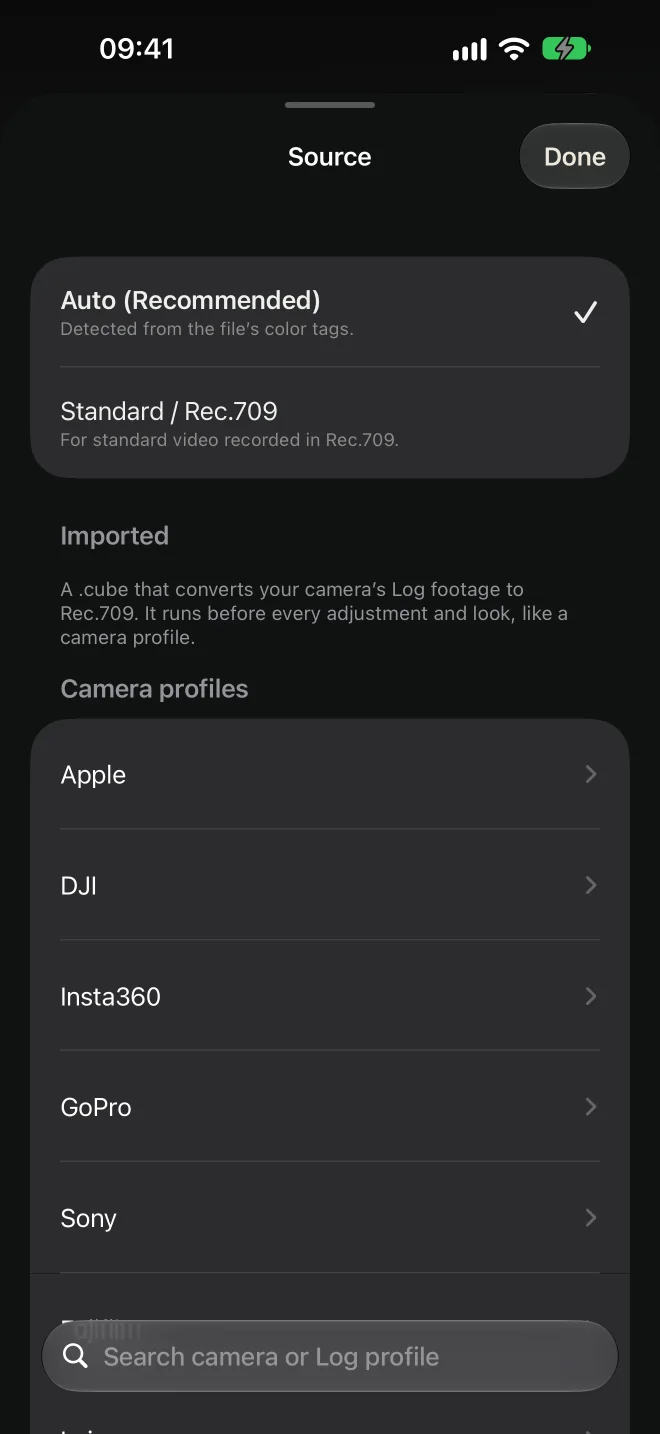
    Apple Log, D-Log M, S-Log3 and more are converted to Rec.709 with the manufacturer's table. Auto-detected when the file says what it is.

  2. Adjust

    Exposure, contrast, highlights, shadows, whites, blacks, temperature, tint, saturation, vibrance, fade and sharpness, plus an RGB curve and a vignette.

  3. Look

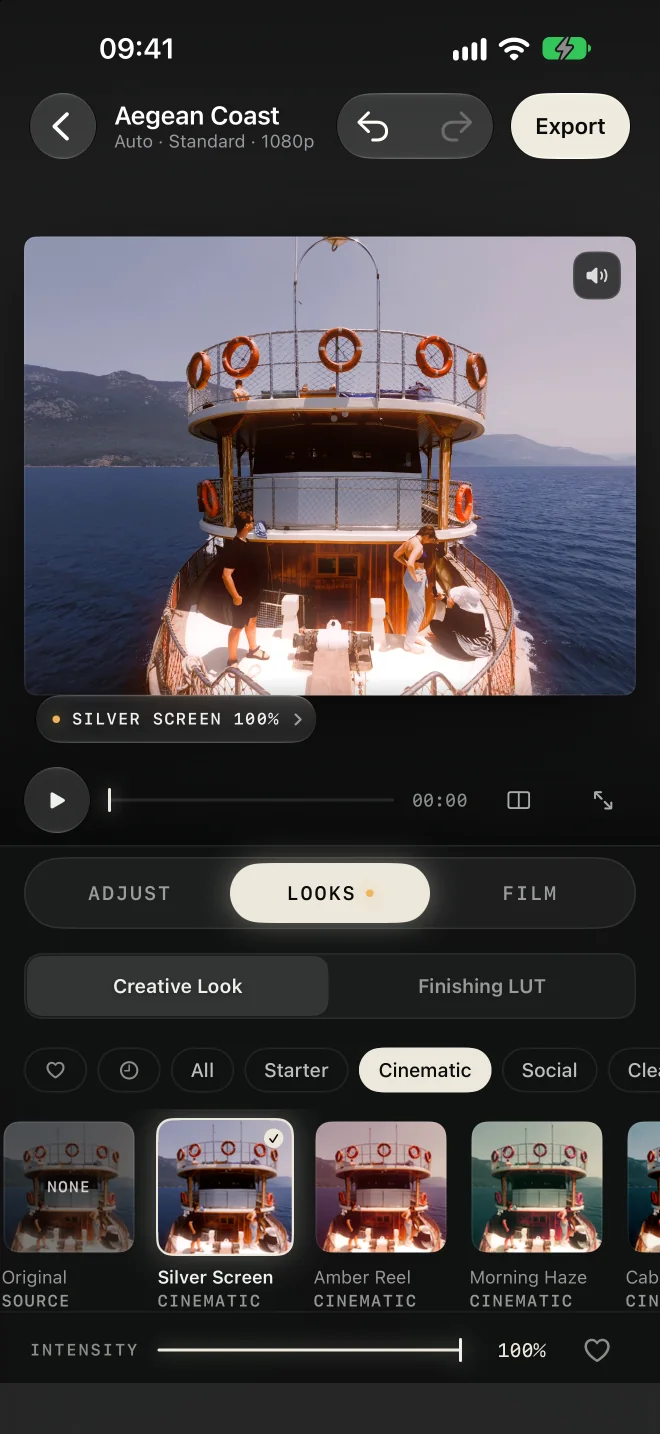
    188 creative LUTs in 10 categories, or your own .cube file, with an intensity slider from 0 to 100.

  4. Finish

    A finishing LUT slot for the last technical touch — contrast shaping or a print-style roll-off — after the look.

  5. Film

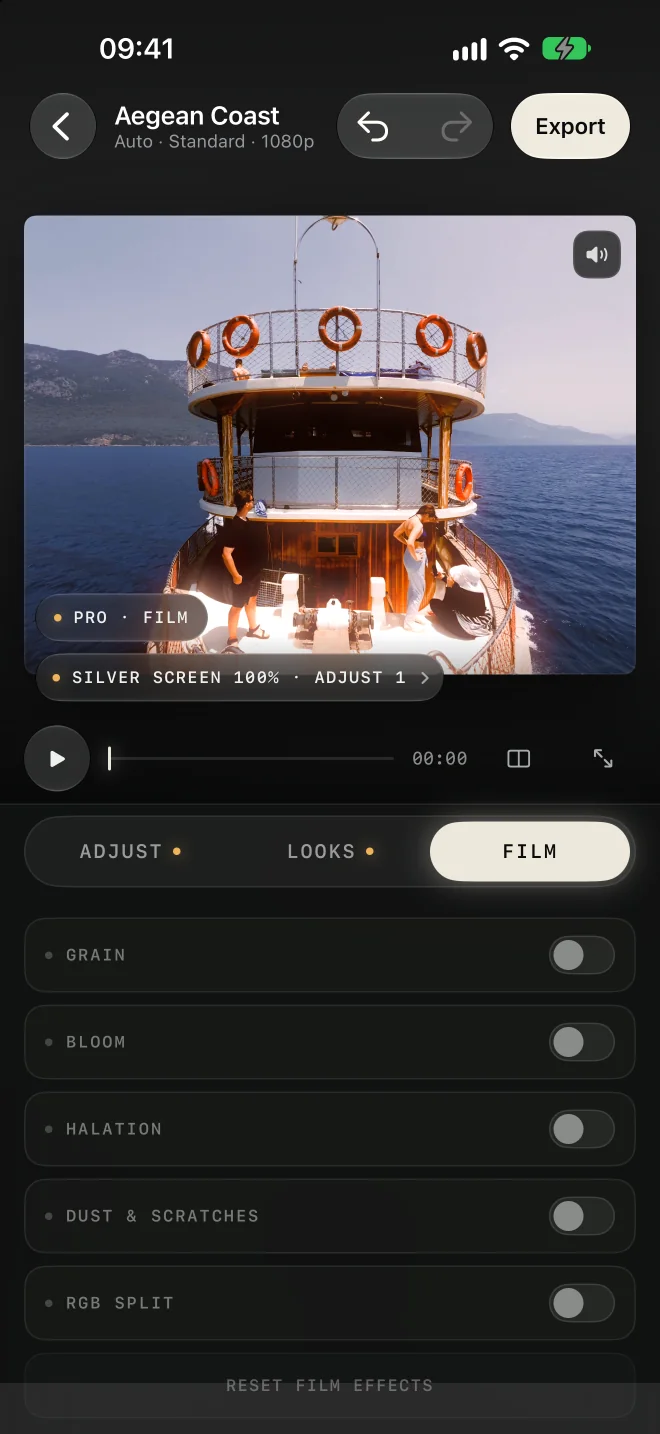
    Grain, bloom, halation, dust & scratches and RGB split, rendered as texture on top of the finished colour.

What you see is what you export

Preview and export run the same render graph.

Every stage of the grade is one explicit graph. The preview on screen and the file you export are rendered by the same code with the same recipe, so the result never shifts on the way out. Your original clip is never modified.

Source frame: a wooden boat with people on deck, sea and hills behind, before grading The same frame after the Silver Screen look and an exposure lift in LUTLINE Source Silver Screen · Exp +0.3

Real frames from the app. Drag the handle to compare the source with the graded result.

Features

A pocket colour studio, not a filter app.

Everything a Log-to-look grade needs on iPhone — and nothing that pretends to be an editing timeline.

Log conversion with the maker's own LUT

7 brands, 54 cameras. Apple Log and Apple Log 2 are recognised from the file's colour tags; Sony clips from their metadata; DJI D-Log M from the recorder's naming. Log is read on a 10-bit path.

Apple · DJI · Sony · Fujifilm · GoPro · Insta360 · Leica

188 looks, 10 categories

Cinematic, Social, Clean, Daily, Essential, Movies, Dark, Moody, Filmic and Vintage — original LUTs built for Rec.709 video, shown as live thumbnails of your own clip, with favourites, recents and a 0–100 intensity slider.

6 looks free · the rest with Pro

Bring your own .cube

Import 3D LUTs in the .cube format at any size up to 65³ (17³, 25³, 33³ and 65³ are the usual ones) and 1D tables too; name them, favourite them and dial their intensity. A conversion .cube can also be loaded as a camera profile so it runs before every adjustment.

Creative slot + finishing slot

12 adjustments, a curve and a vignette

Colorist conventions: positive temperature is warmer, positive tint is magenta. An RGB master curve with R, G and B channel curves and a live histogram; a vignette with amount, size and softness. 50-step undo, press-and-hold compare.

Five film tools

Grain that is deterministic per frame and mean-neutral, bloom and halation with size and threshold, dust & scratches, and RGB split. Texture is rendered after the colour is finished, the way film does it.

Export you can trust

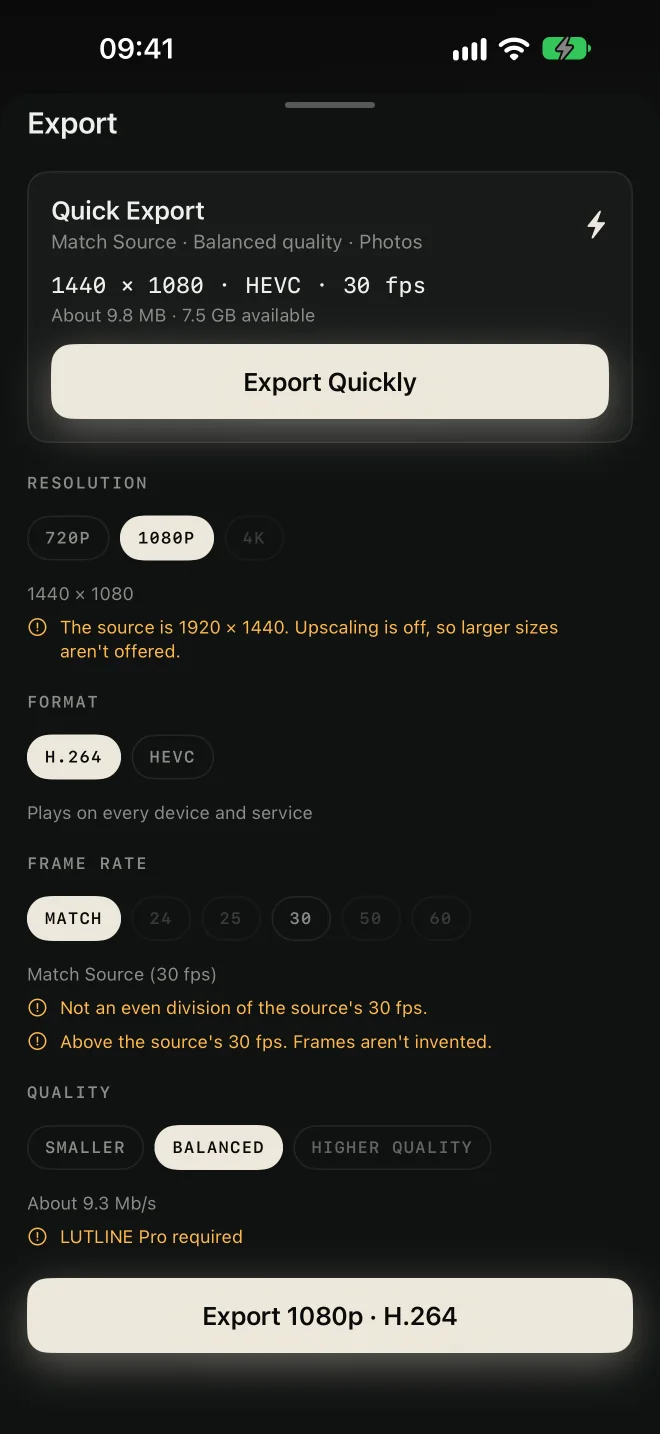
H.264 or HEVC; 720p, 1080p or 4K with no upscaling; match the source frame rate or pick 24–60 fps by even division; three quality tiers; audio passed through or re-encoded. Size estimate, free-space check, progress with a time estimate, and a safe path if the export is interrupted.

Photos · Files · Share

In the app

One accent, one line, no clutter.

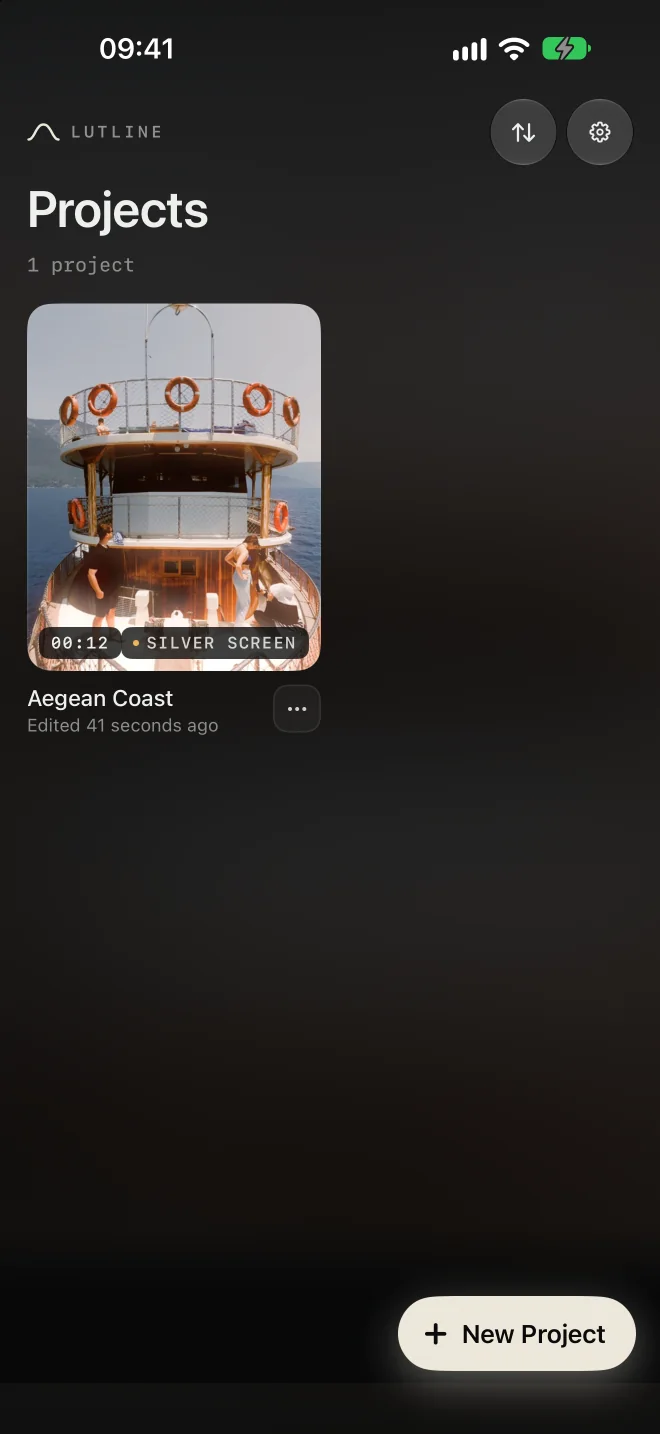
Real screens from LUTLINE on iPhone. The recipe pill under the stage sums up the grade; the tab lamps show which stages are active.

Supported Log profiles

Conversion LUTs from the camera makers, not approximations.

Each Log profile is converted to Rec.709 with the table its manufacturer publishes for that camera, applied as a 3D table before every adjustment. Standard Rec.709 clips skip the stage entirely.

BrandLog profilesCamerasDetectionTier
AppleApple Log, Apple Log 2iPhone 15 Pro, 16 Pro, 17 Pro (and Max)Automatic from the file's colour tagsFree
DJID-Log M, D-Log, D-Log2Mavic 4 Pro, Mavic 3 series, Air 3S / 3 / 2S, Mini 5 Pro / 4 Pro, Flip, Osmo Action 6 / 5 Pro / 4, Osmo Pocket 4P / 4 / 3, Osmo 360, Osmo Nano and moreD-Log M automatic from the recorder's _D file naming and software tagPro
SonyS-Log3 / S-Gamut3, S-Log3 / S-Gamut3.CineFX3, FX30, α7S III, α7 IV, α7C II, other S-Log3 bodiesAutomatic from the clip's recording metadataPro
FujifilmF-Log, F-Log2, F-Log2 CX100VI, X-T5, X-S20, X-M5, X-H2S, X-H2, GFX100 IIManual (WDR or ETERNA rendition)Pro
GoProGP-LogHERO13 Black, HERO12 Black, MAX2Manual, per firmwarePro
Insta360I-Log, Log (per lens module)X6, X5, X3, ONE X2, ONE X, Ace Pro 2, GO Ultra, ONE RS / R, Luna, SphereManualPro
LeicaL-LogSL3, SL3-S, SL2-S, SL2, Q3Manual (Natural, Classic, Leica Pure, Leica Cine)Pro

Shooting something else? Load the manufacturer's Log-to-Rec.709 .cube as an imported camera profile and it runs in the same stage.

Free & Pro

Free stays useful. Pro unlocks the full workspace.

There is no watermark on Free exports and no account at any tier. Purchases go through Apple; a paid entitlement is never revoked by a network failure.

LUTLINE Free

$0

  • 6 starter looks with intensity control
  • All 12 basic adjustments
  • Standard Rec.709, Apple Log and Apple Log 2 sources
  • Watermark-free 1080p export, Balanced quality
  • Preview every Pro tool on your own clip before you decide
  • Validate and preview a .cube file

No account, no ads, no upload. Media stays on the device.

LUTLINE Pro 7-day free trial on yearly

$9.99per month
$39.99per year
$99.99lifetime, one-time
  • All 188 looks and the 6 finishing LUTs
  • Five film tools, the RGB curve and the vignette
  • 4K and Higher Quality export
  • Import, name and organise your own .cube LUTs
  • Manual camera profiles for DJI, Sony, Fujifilm, GoPro, Insta360 and Leica

US prices shown; Apple sets local pricing. Subscriptions renew automatically unless cancelled in your Apple Account. Lifetime is a one-time purchase with the announced Pro look and compatibility updates.

Questions

Frequently asked

What is a LUT?

A LUT (look-up table) is a file that maps every input colour to an output colour. A 3D LUT stores that mapping on a grid — 33 × 33 × 33 points in the common .cube size — and the app interpolates between the points for every pixel. Technical LUTs convert a camera's Log encoding to a display standard such as Rec.709; creative LUTs apply a look on top. LUTLINE runs one of each, in that order. Read the full explanation.

Is LUTLINE free?

Yes. LUTLINE Free includes 6 looks, all basic adjustments, Apple Log and Apple Log 2 conversion, and watermark-free 1080p export. LUTLINE Pro adds the full catalogue, film tools, 4K export, custom .cube import and the other camera profiles for $9.99 a month, $39.99 a year (7-day free trial) or $99.99 once.

Which Log formats does LUTLINE convert?

Apple Log and Apple Log 2 (iPhone 15 Pro and later), DJI D-Log M, D-Log and D-Log2, Sony S-Log3 in S-Gamut3 and S-Gamut3.Cine, Fujifilm F-Log, F-Log2 and F-Log2 C, GoPro GP-Log, Insta360 I-Log and Log, and Leica L-Log — 54 cameras across 7 brands, each with its manufacturer's conversion table. Any other camera works through an imported conversion .cube.

Does the app detect Log footage automatically?

When the file says what it is. Apple Log is read from the clip's colour tags, Sony profiles from the recording metadata inside the file, and DJI D-Log M from the recorder's file naming and software tag. Otherwise the Source sheet lists the brand, camera and profile so you can pick it in three taps.

Can I import my own LUTs?

Yes. LUTLINE reads .cube files — 3D tables at any size up to 65³ and 1D tables — and validates every line before the file is used. Free lets you validate and preview a file; Pro stores it in your library with a name, favourite and intensity. A Log-to-Rec.709 conversion .cube can also be imported as a camera profile.

What is the difference between a LUT and a filter?

A filter is a fixed effect an app applies however it likes. A LUT is a standard, portable colour transform: the same .cube file gives the same result in LUTLINE, DaVinci Resolve or Final Cut Pro when it is applied to the same kind of source. That is also why the order matters — a creative LUT built for Rec.709 only looks right after the Log has been converted. More in LUT vs. filter.

What can I export?

H.264 or HEVC video at 720p, 1080p or 4K (never upscaled above the source), at the source frame rate or 24 / 25 / 30 / 50 / 60 fps where they divide evenly, in three quality tiers, with audio passed through or re-encoded as AAC. The file goes to Photos, to a folder in Files, or to the share sheet. Free exports 1080p Balanced with no watermark; Pro adds 4K and Higher Quality.

Does LUTLINE upload my videos?

No. Decoding, grading and encoding happen on the iPhone. There is no account and no server that receives media. The only network traffic is Apple's purchase system and, when enabled, anonymous purchase-status measurement — see the privacy policy.

Does it work with photos?

LUTLINE is video-first. Projects are created from a video in Photos or Files. Every tool in the app was built around footage: 10-bit Log decoding, frame-rate handling, audio and codec choices.

Which iPhones are supported?

Any iPhone running iOS 18.0 or later. Apple Log recording itself needs an iPhone 15 Pro or newer, but LUTLINE grades clips from any camera you can bring into Photos or Files.

About

Made by an independent studio.

LUTLINE is built by Pekdemir Labs, the independent studio of Yakup Pekdemir in Türkiye. It is a focused, on-device tool: no accounts, no ads, no tracking, and a render pipeline verified against a CPU reference at every stage so the preview and the export agree. Questions and support: [email protected].

Free to start · No account

Grade your next clip the way a colorist would.

Import a video, let LUTLINE convert the Log, choose a look, and export exactly what you previewed. The Free tier exports 1080p with no watermark.